Mod Morrowind active
 Beta Icons Restored and Reimagined
Replacement icons for skills, spells, and stats inspired by Bethesda's original art style.

- Stable
- not released
- Development
- 0.821-dev.6
- Runs on
- OpenMW any version
- Package
- Single directory
Overview
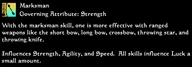
Beta Icons Restored and Reimagined provides an alternate glimpse into what might have been. It's based on the Beta skill icons, which you can find here for reference. However, the beta icons had problems of their own. For one, the rune backgrounds used obfuscated the art a lot for spell icons. Remember, these are displayed at 32x32px for the big spell icons and 16x16px for the small ones. Thus, I took the color palettes of the beta skill icons and extended them to the spell, attribute, and dynamic stat icons. The result is a full suite of character icon replacements (293 in total), best suited for use with Monochrome UI. See below for a preview of all the new icons!
Alternatively, here's an example set of momw-configurator customizations for use with total-overhaul:
## Total Overhaul
[[Customizations]]
listName = "total-overhaul"

[[Customizations.insert]]
insert = "/home/sk3shun-8/GitHub/s3stash/birr"
after = "BigIcons/07 8X Textured"
Some of the icons added by this mod are overwritten by BigIcons, so it should load after that, and anything else that may be modifying icons in your installation.
Icon Preview

Credits
- All code in this repository was generated by Dave Corley under the GPL3 License.
- Please enjoy my content, hack away as you please, and respect the freedoms of your fellow creators in the meantime.
- Bethesda Softworks for the original icons
- Glisp for deleting the icons off the CRF wiki page and making me find them
- Zavus for finding these and posting them on MMC in usable format
Install
Single directory · 0.821-dev.6
OpenMW, by handextract, then add these lines to openmw.cfg
- Extract the archive to a folder of its own, for example
C:/Games/OpenMW-Mods/Beta Icons Restored and Reimagined. - Add the lines below to
openmw.cfg. Keep them after thedata=lines of anything this mod depends on. - Open the launcher and check the load order. Content files load in the order listed here.
data="C:/Games/OpenMW-Mods/Beta Icons Restored and Reimagined"
Replace the folder with wherever you extracted the archive.
DreamWeave clientsCHIMERA and other tools that read the manifest
Give the tool this page's address, or the manifest directly. It finds the release for its channel, checks compatibility and dependencies, downloads from any listed source and refuses bytes whose SHA-256 does not match.
- Project id
- cfebb85d-0200-43aa-91f4-843b0c50cb44
- Manifest
- https://dreamweave-mp.github.io/S3ctors-S3cret-St4sh/dreamweave/projects/cfebb85d-0200-43aa-91f4-843b0c50cb44.json
What is in the archive
- birr.zip
- the mod's filesone data directory
- birr-Documentation/this page and its docs, readable offline
- birr-dwmod.tomlthe project's mod.toml
- dreamweave.release.jsonwhat this archive is, for tools
Compatibility
Anything not listed here is untested.
Runs on
- OpenMWany version
Releases
-
0.82 stable unverified
-
0.81 stable unverified
-
0.8 stable unverified
Discussion
GitHub Discussions · sign in with GitHub to join in